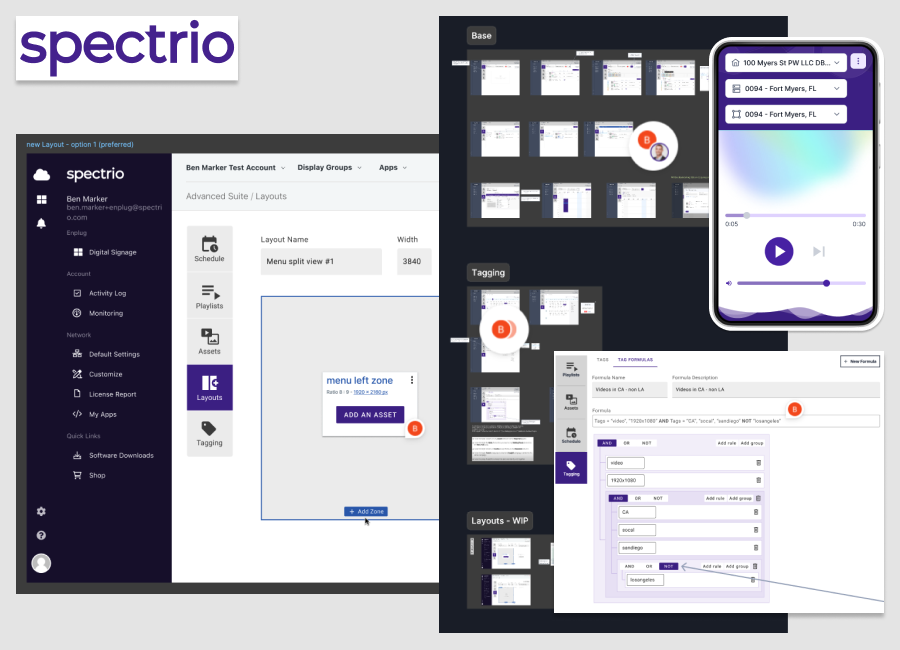
In this project, I played a pivotal role as a product designer, contributing to the development of a comprehensive and user-friendly Content Management System (CMS) for digital signage. The platform was designed to cater to a diverse user base, from non-technical individuals managing localized content to professional designers handling complex, global campaigns.
The CMS integrates functionality from multiple products acquired over five years, blending legacy features with modern design patterns to create a cohesive and forward-thinking platform.
Designing for the Future
Transforming legacy platforms into modern, user-centric solutions requires collaboration, strategy, and iteration. I work closely with cross-functional teams to align user needs with business goals, designing for both functionality and aesthetics while ensuring technical feasibility.
By replacing costly legacy systems with modern solutions, I help businesses save money and prepare for the future. Using iterative mock-ups and stakeholder input, I refine features, balance branding with usability, and deliver seamless experiences that meet both immediate and long-term objectives.
Streamlining for Flexibility and Versatility
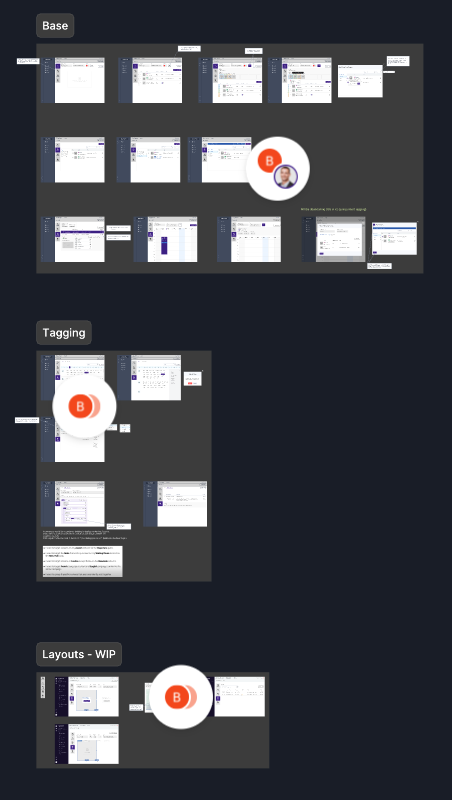
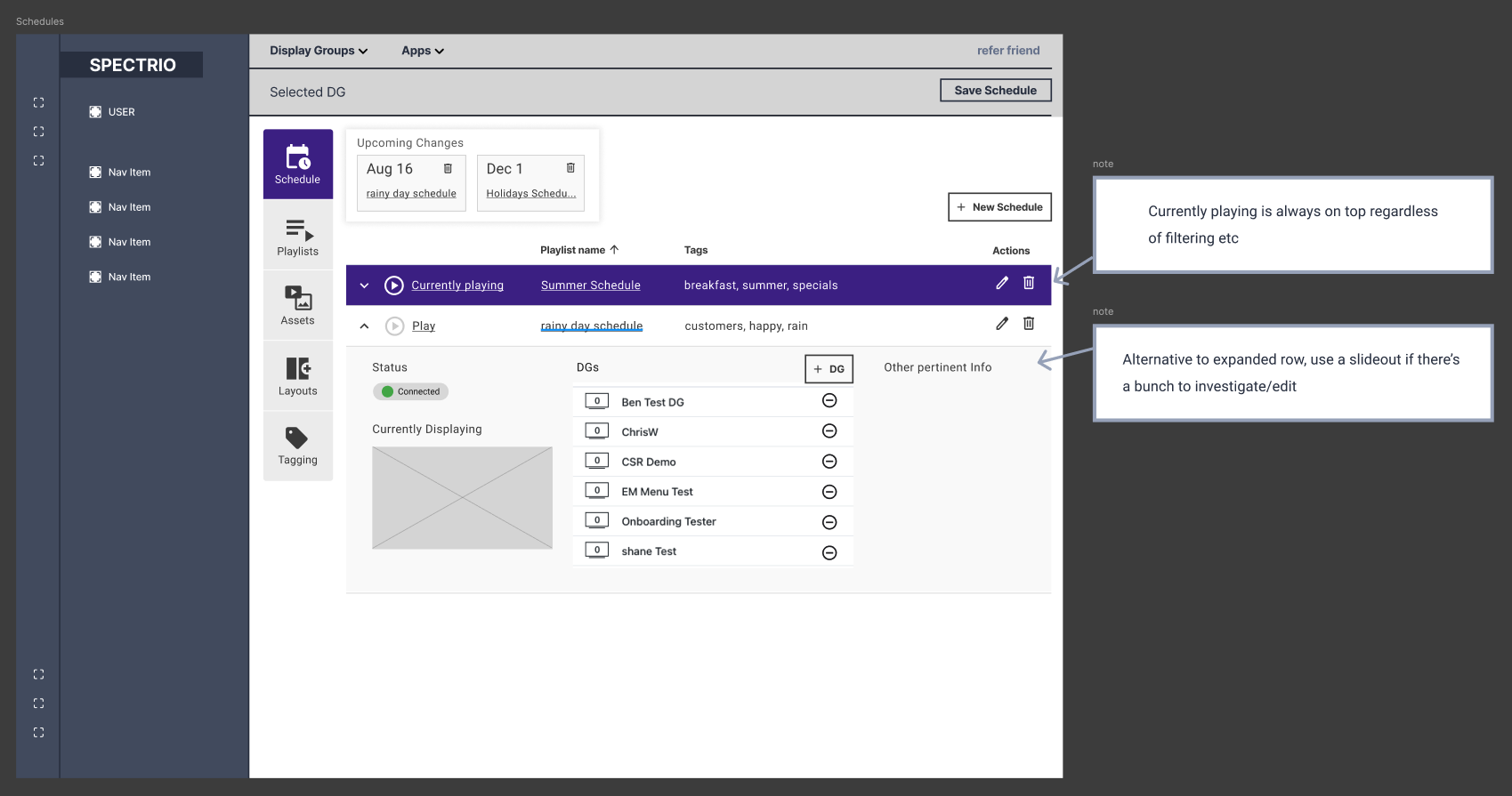
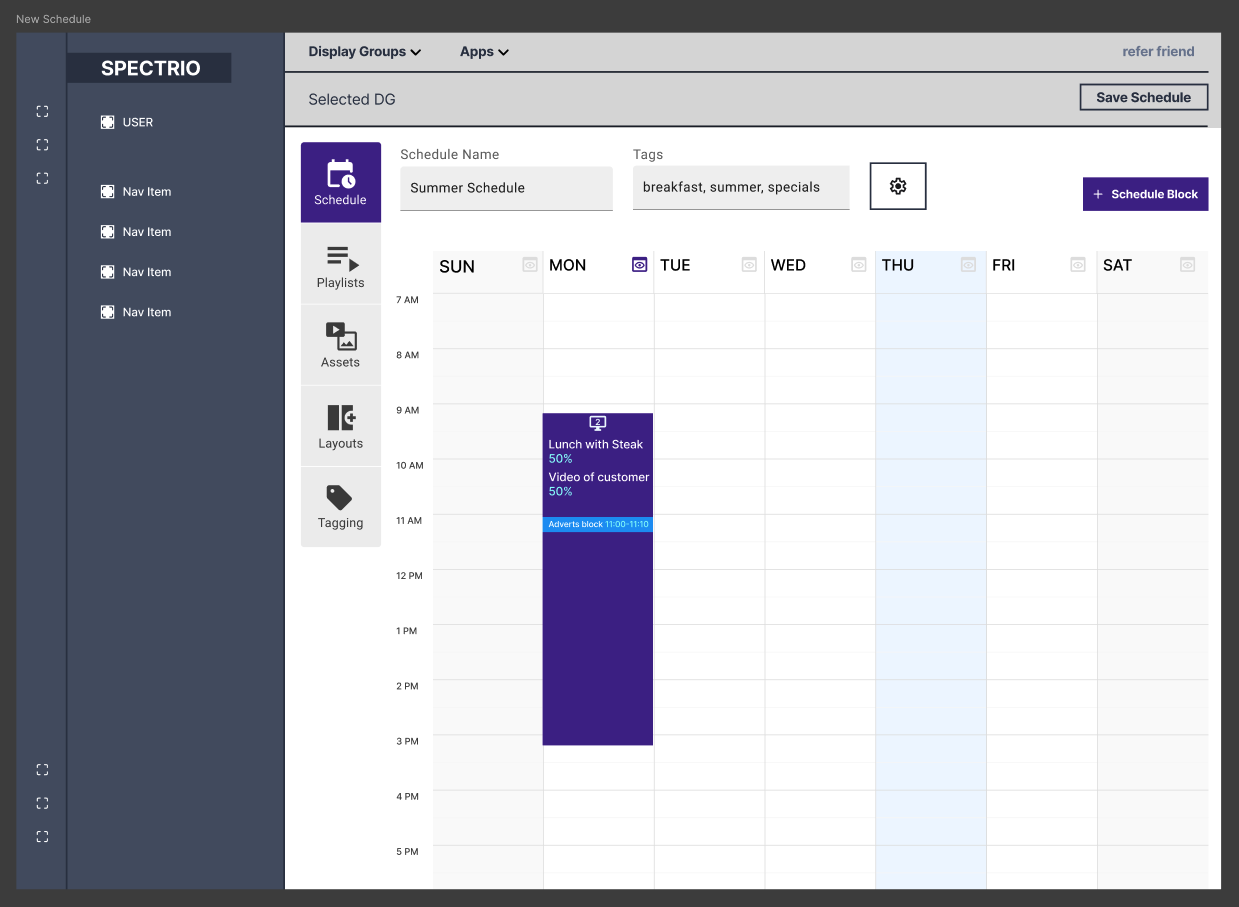
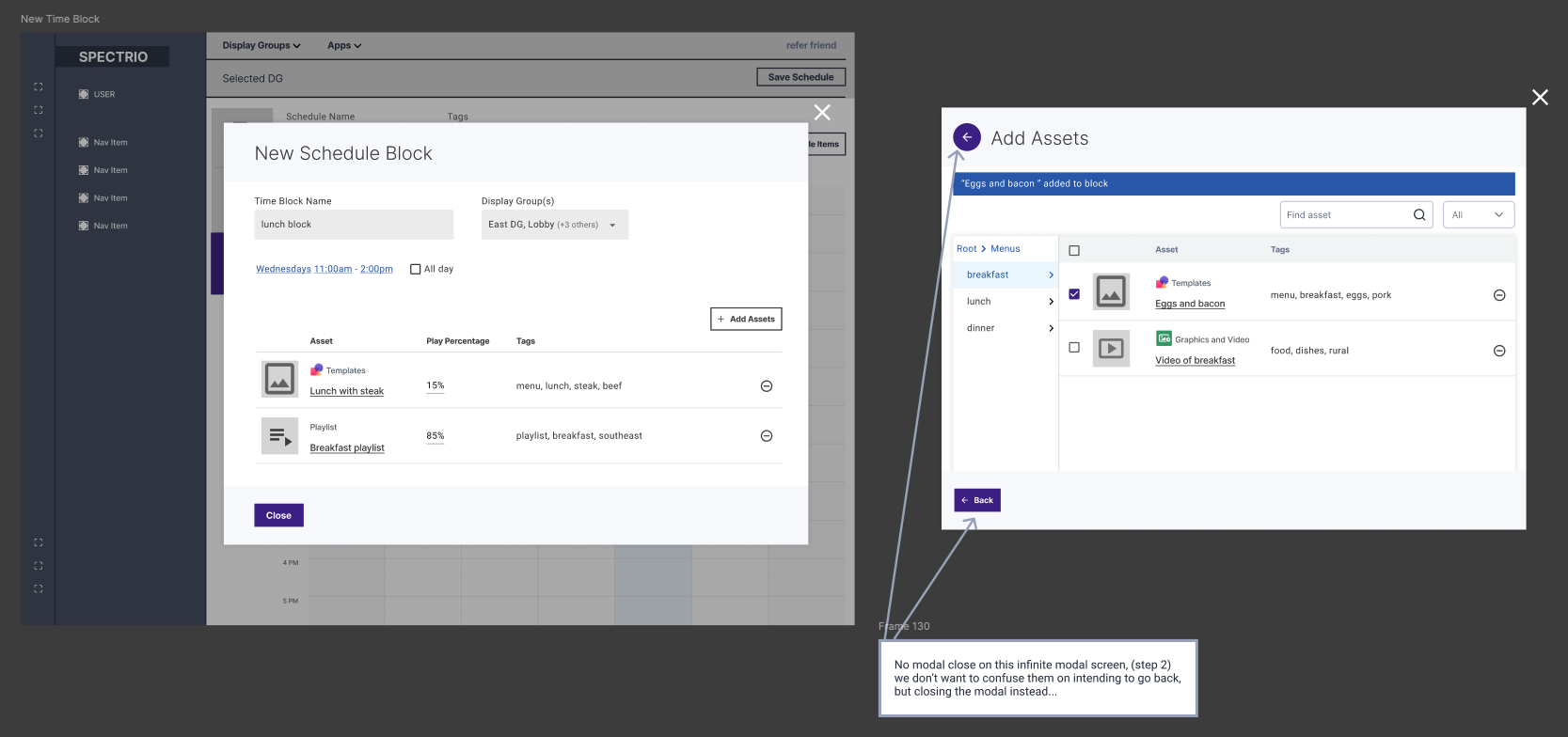
Designing intuitive scheduling solutions means understanding that users want ease and flexibility without micromanaging every moment. I created a system that simplifies setup while allowing for nuanced exceptions between days and weeks. The design prioritizes flexibility and versatility, enabling users to seamlessly mix their own content with third-party advertising while maintaining control over what's displayed and when.
To enhance usability, the system includes features like reusable schedules for efficiency, a proof-of-play preview for transparency, and easy integration of various content types.
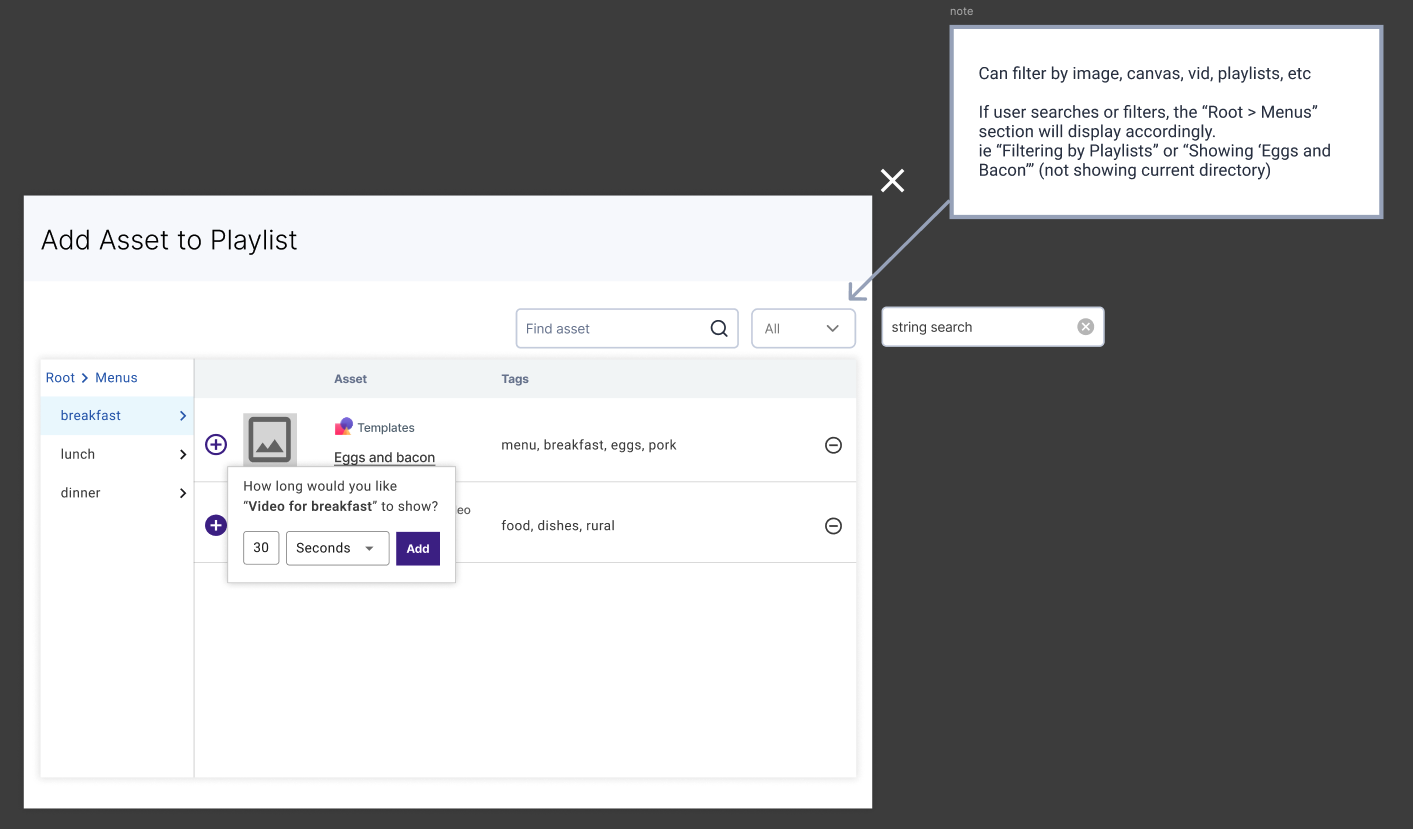
Flexible and Intuitive Playlist Management
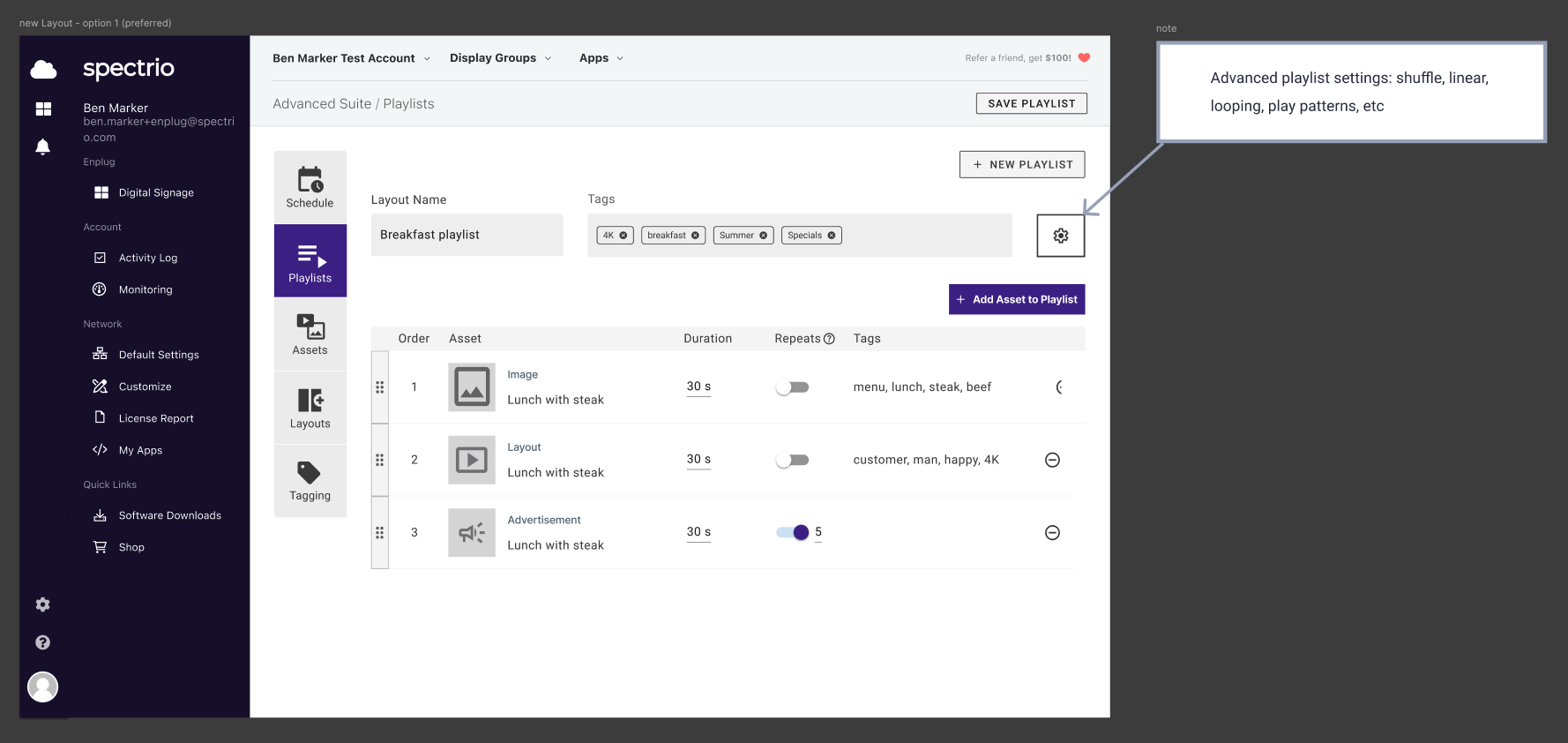
Creating a playlist tool that balances simplicity and flexibility required addressing diverse user needs. Some users wanted straightforward "go-to-next-item" functionality, while others needed the ability to mix media with dynamic scheduling patterns, such as splicing advertisements into regular content seamlessly.
The design allows users to easily set parameters — allocating specific durations (e.g., 10 minutes of advertising per hour) — without needing to micromanage each playlist item. The tool dynamically adjusts to ensure smooth playback while meeting scheduling goals.
Empowering Users with Flexible Layouts
Meeting the diverse needs of users with varying requirements for aspect ratios, resolutions, and screen configurations demanded a highly adaptable design approach. Whether working with single or multi-screen displays, split-screen layouts, or portrait and landscape orientations, the solution needed to provide unparalleled flexibility while remaining user-friendly.
We introduced the concept of zones, allowing users to divide and arrange layouts in ways that best fit their unique needs. Each zone supports its own playlist, enabling users to display tailored content across different sections of their screens.
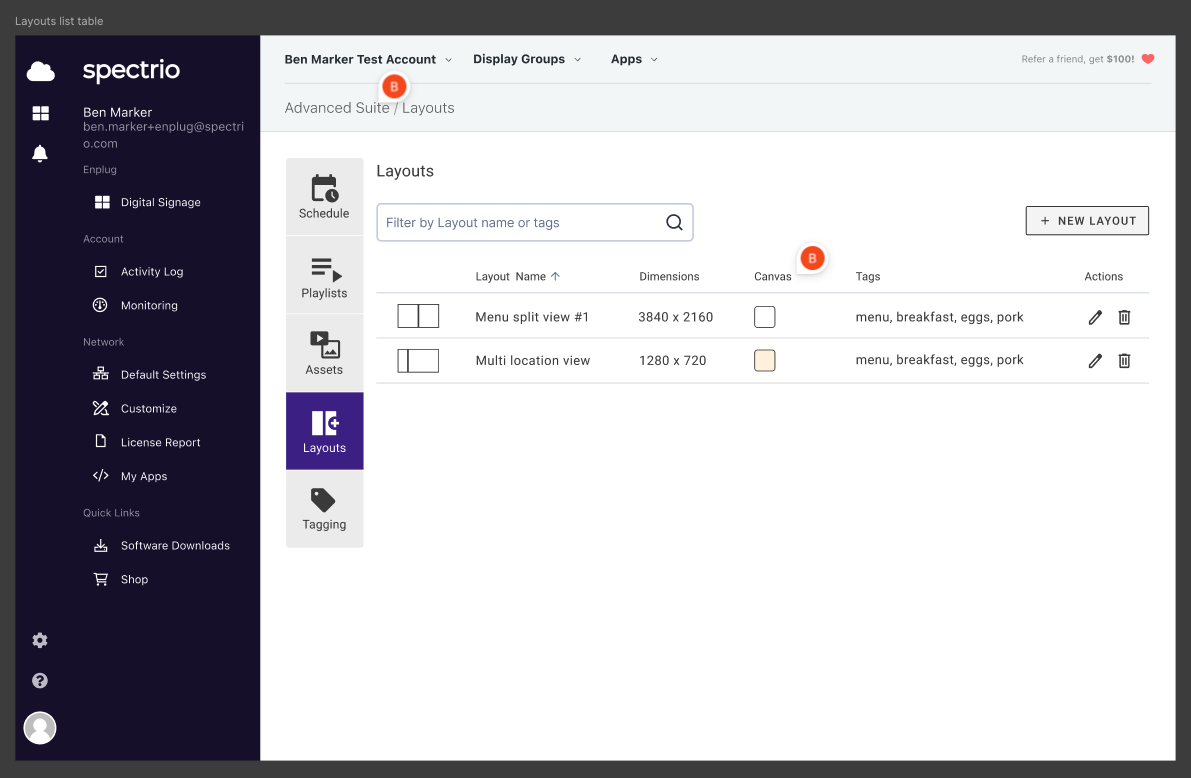
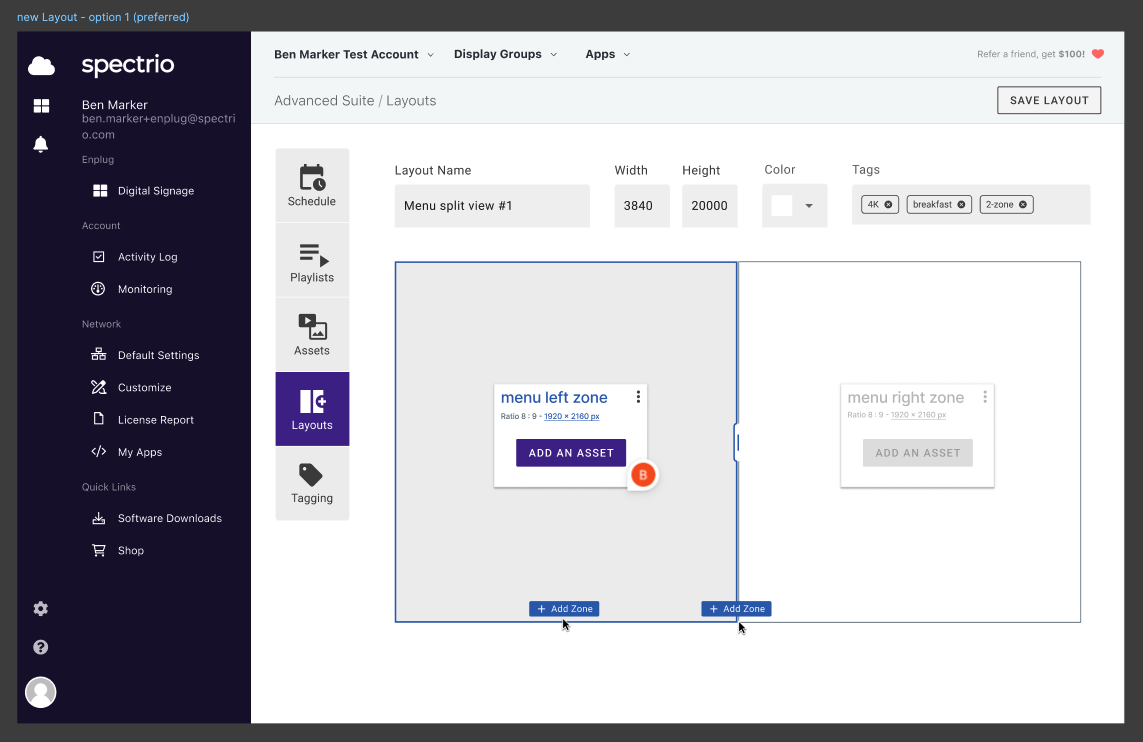
The system accommodates dynamic scheduling, allowing users to switch between layouts based on the time of day — showcasing one design during business hours and another after closing.
Enabling Ultimate Flexibility
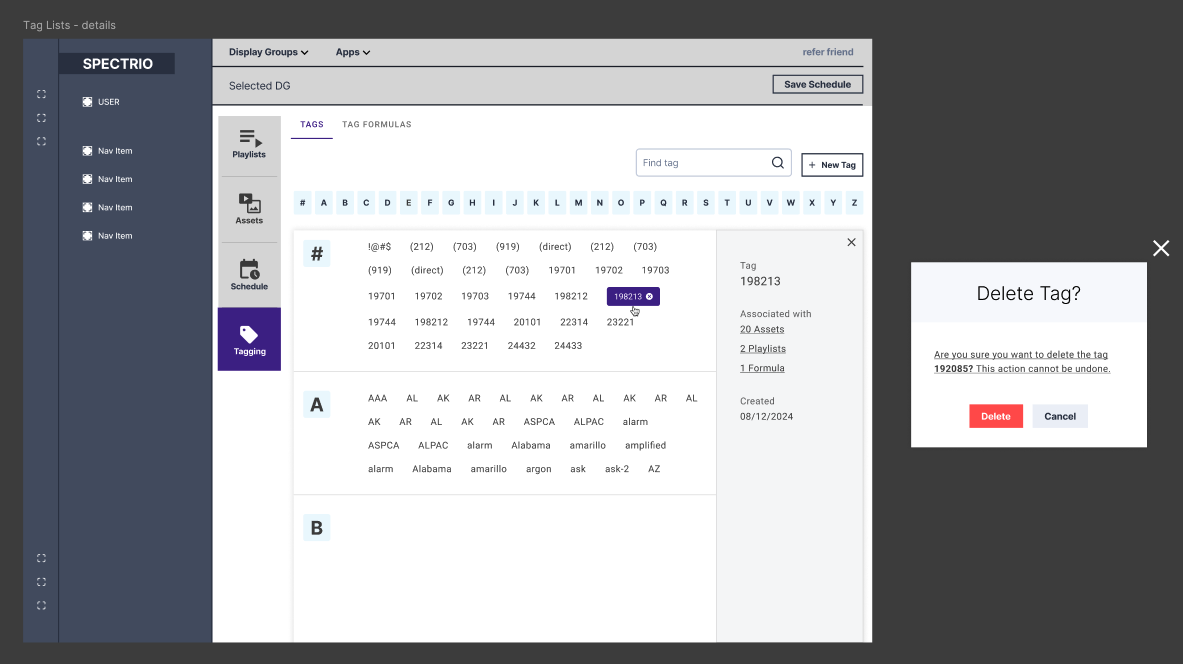
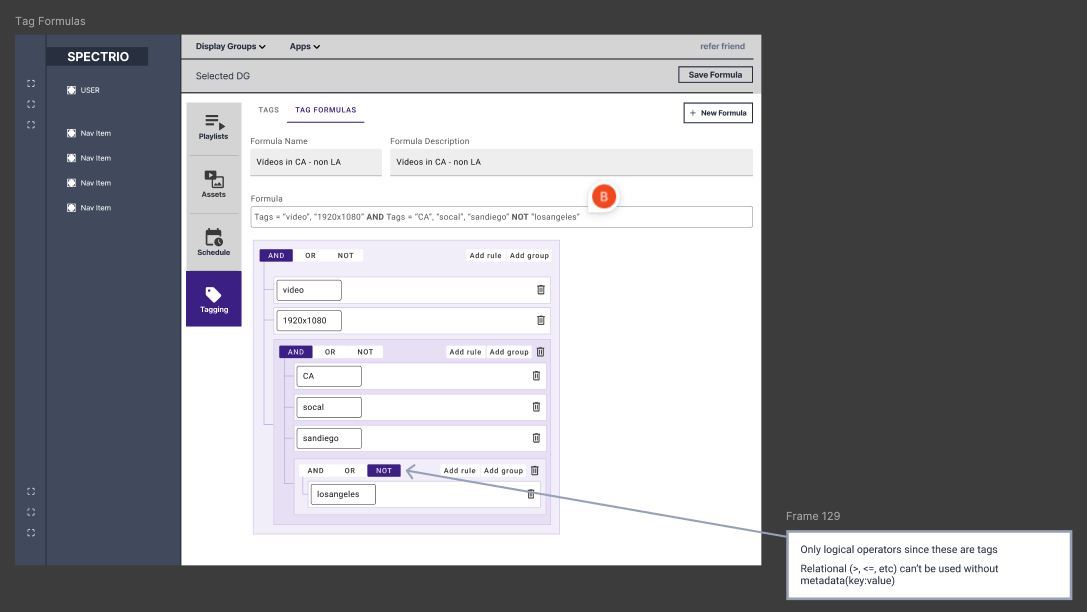
Users often face complex requirements, such as varying prices across regions, displaying menus in different languages, or tailoring content to specific locations. To address these challenges, we designed a smart tagging system that empowers users to create and apply custom formulas.
This system enables them to find, filter, and serve content with precision and ease — providing unparalleled flexibility to define rules based on their unique needs, whether it's regional pricing, localized language settings, or diverse menu configurations.
Enhanced Usability and Appeal
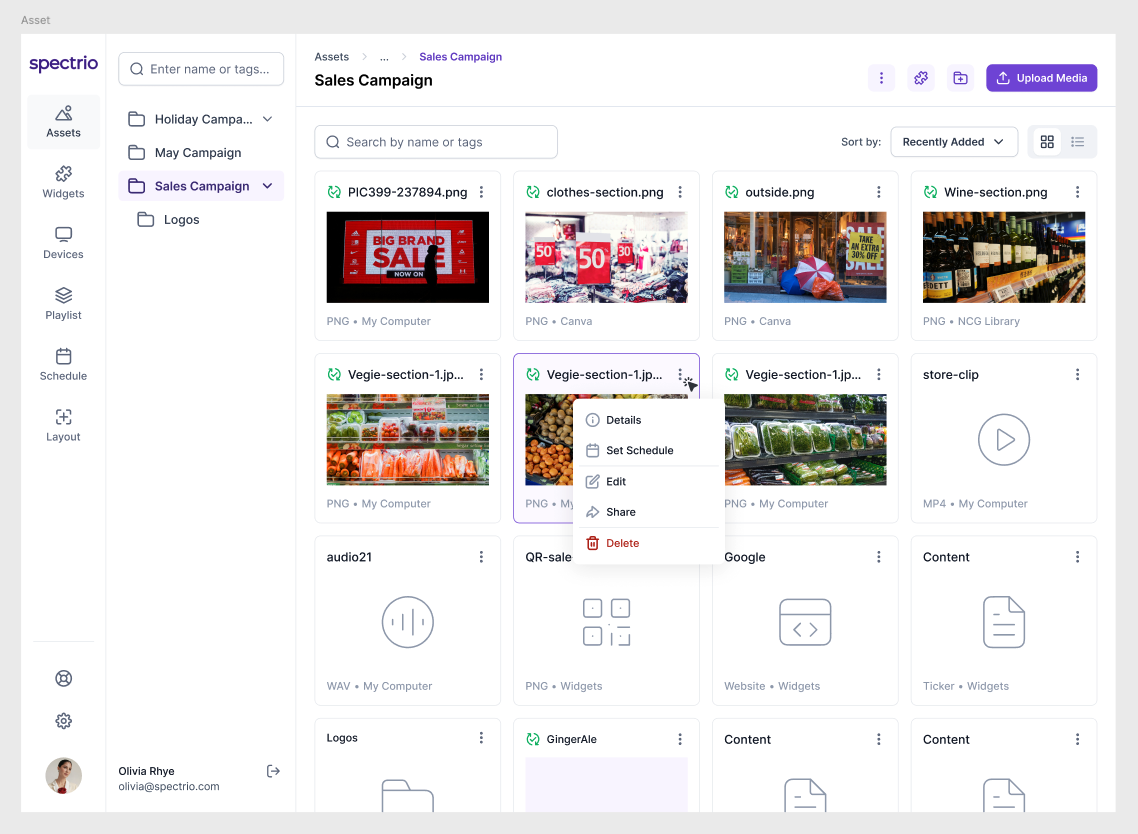
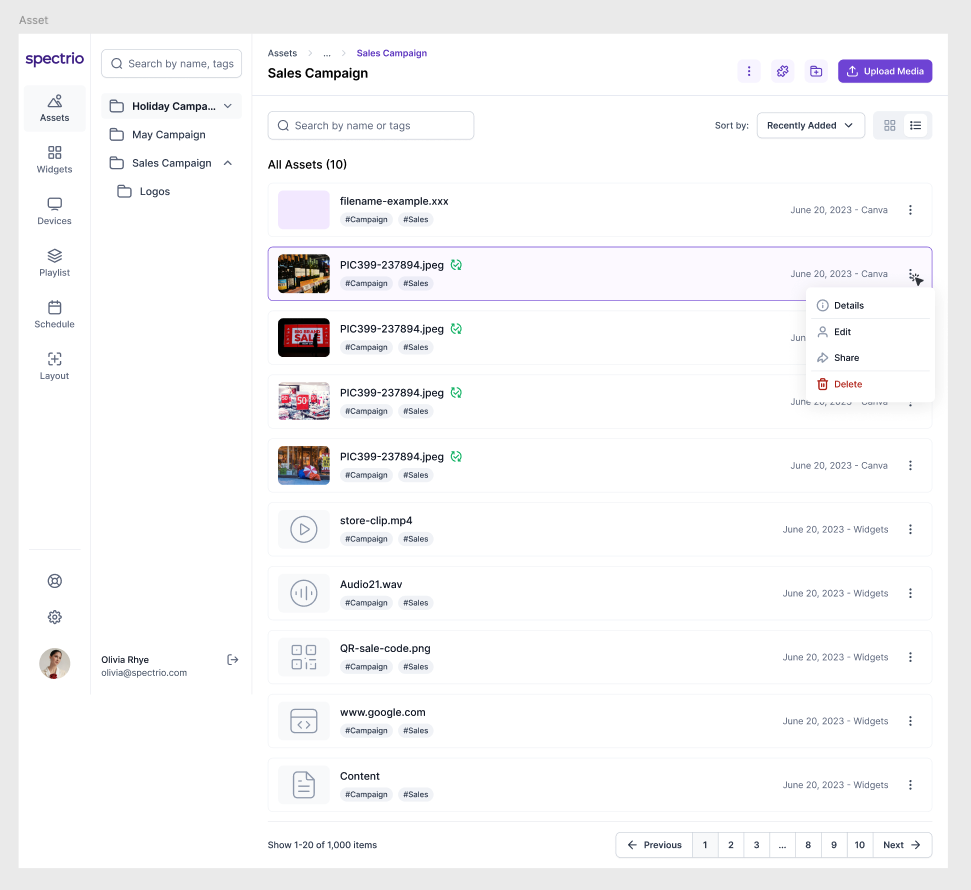
With the core functionality 90% complete, the next challenge was to update the UI to align with modern design standards. The existing interface, created five years ago, lacked the responsiveness and visual sophistication users now expect.
My role was to reimagine the design to make it more aesthetically pleasing and intuitive. The redesign focused on improving responsiveness for various devices, refining the visual hierarchy, and incorporating contemporary UI patterns. To validate updates, I integrated analytics and conducted user testing sessions to gather feedback — providing a foundation for ongoing iteration.
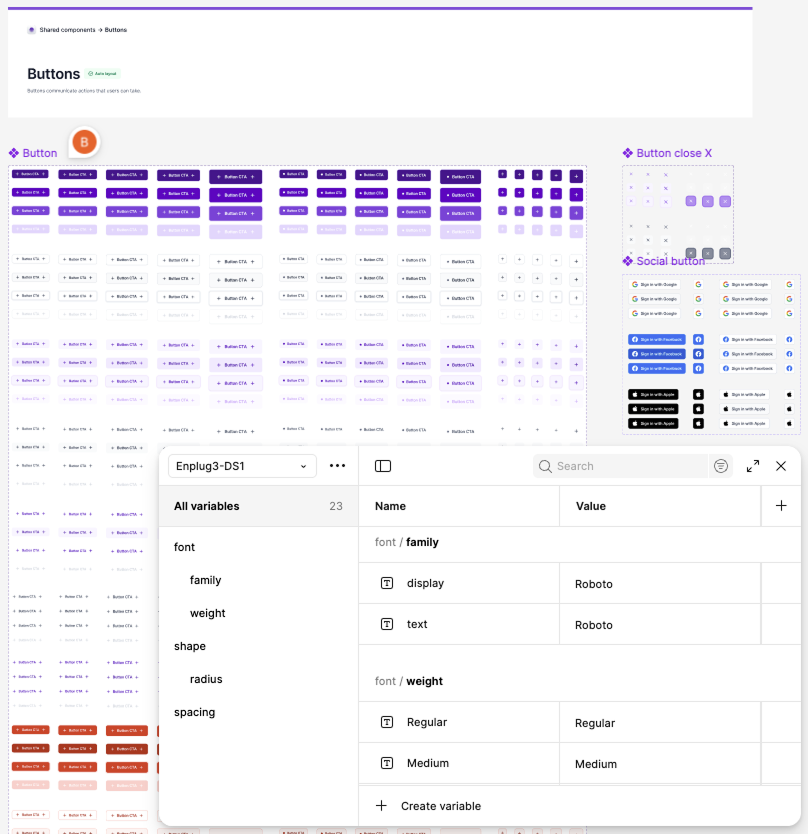
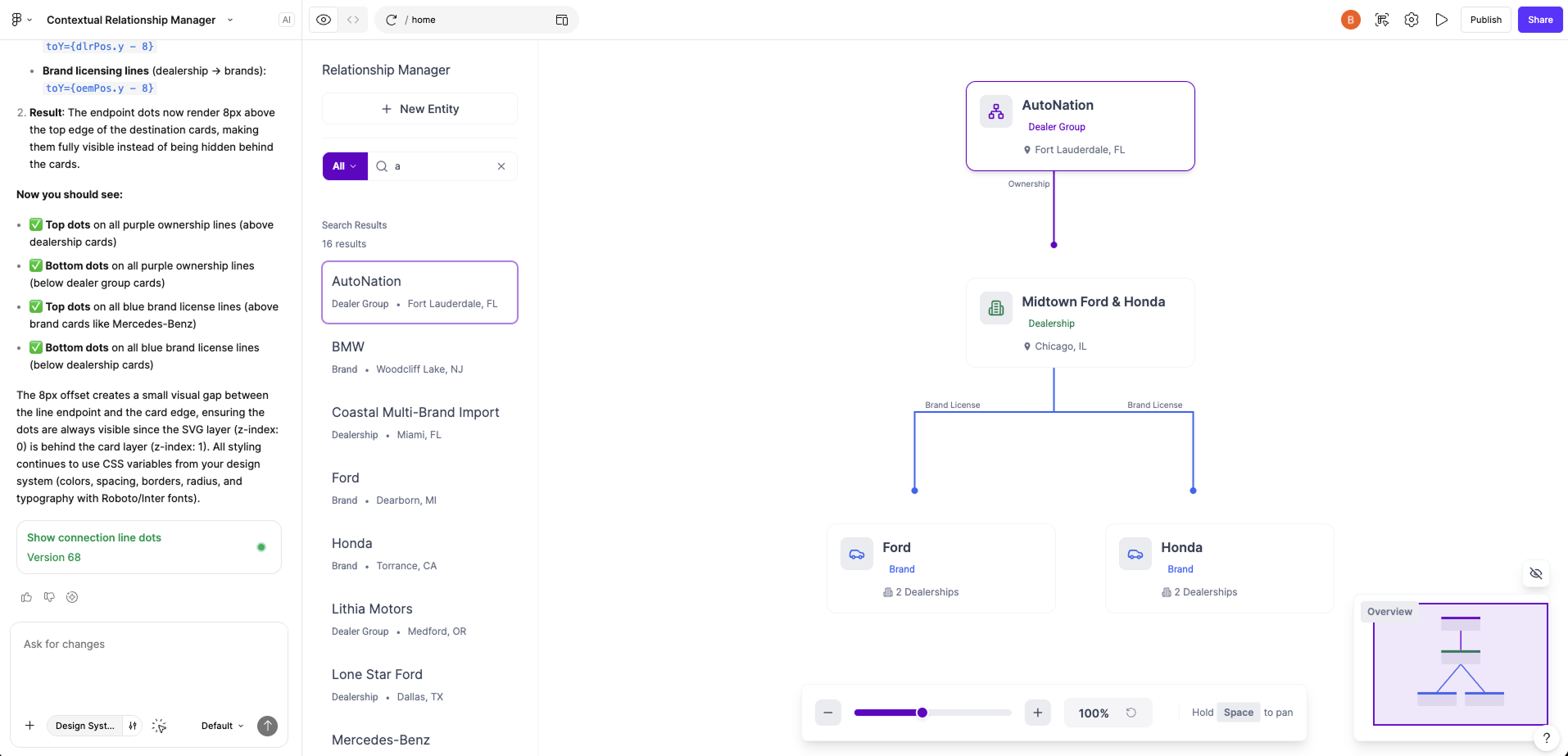
Variable-Driven Design System + AI-Assisted Prototyping